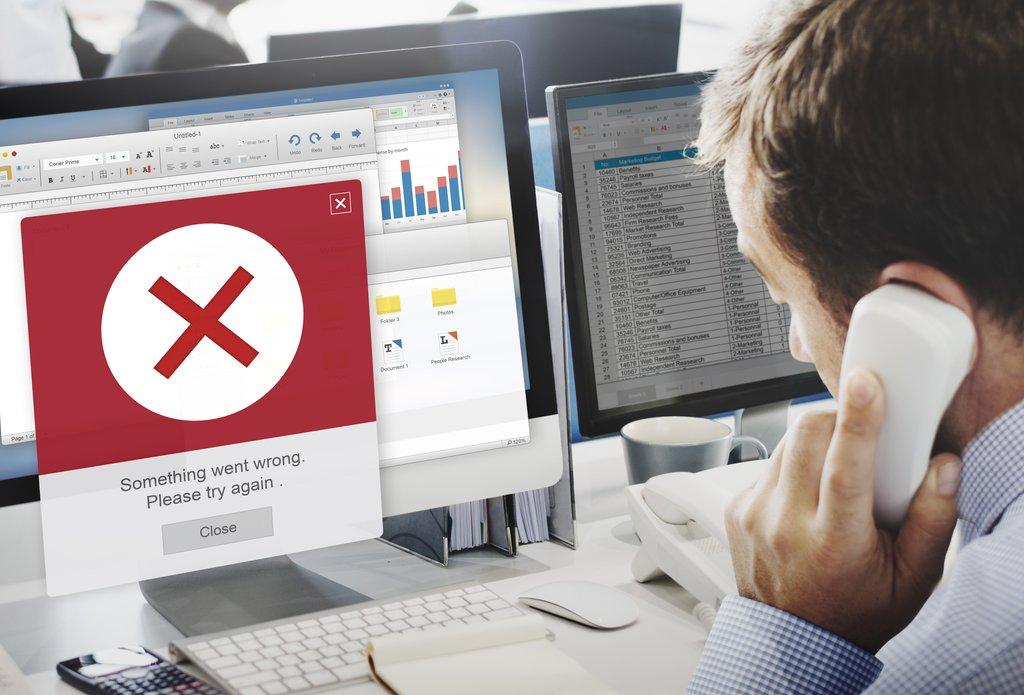
ERPNext is a powerful, flexible, and scalable ERP platform. However, many implementations fail not because of ERPNext itself, but due to poor planning, incorrect configurations, rushed data migration, or lack of process understanding. This technical guide breaks down the most common ERPNext implementation mistakes, explains why they happen, and shows exactly how to avoid them using proper workflows, configurations, and best practices.
1. Starting ERPNext Without Business Process Mapping
One of the most frequent mistakes is configuring ERPNext before documenting business processes. ERPNext follows standardized workflows, and without understanding your own flow, the system will expose gaps instead of fixing them.
Correct Workflow
Current Process → Pain Points → Optimized Process → ERPNext Mapping → Configuration
How to Avoid
| Wrong Approach | Correct Approach |
|---|---|
| Direct system setup | Process documentation first |
| Customizations early | Standard workflow adoption |
2. Treating ERPNext as a Software, Not a Process Change
ERPNext enforces discipline. Organizations that expect ERPNext to work around poor practices often fail during go-live.
Example
Manual stock adjustments done informally will conflict with ERPNext’s stock ledger integrity.
Solution
- Educate users on ERP discipline
- Align ERPNext workflow with optimized business processes
3. Over-Customization at the Beginning
Heavy customization during phase one increases complexity, upgrade risks, and performance issues.
Bad Practice
Custom App → Custom Doctype → Custom Accounting Logic (before go-live)
Best Practice
| Phase | Action |
|---|---|
| Phase 1 | Standard ERPNext |
| Phase 2 | Minimal custom fields |
| Phase 3 | Custom apps if required |
4. Poor Master Data Design
Incorrect Item Groups, Chart of Accounts, or Warehouse hierarchy leads to reporting chaos.
Example
Item Group: Items
→ Causes no meaningful stock or sales analysis
Correct Structure
Items
 ├─ Raw Material
 ├─ Finished Goods
 ├─ Consumables
5. Incorrect Chart of Accounts Setup
Using default COA without business-specific alignment causes accounting mismatches.
How to Avoid
| Area | Best Practice |
|---|---|
| Revenue | Separate by business line |
| Expenses | Granular cost heads |
| Assets | Clear asset categorization |
6. Migrating Dirty or Incomplete Data
ERPNext is unforgiving with inconsistent data. Poor Excel migration breaks reports and workflows.
Correct Migration Order
Company → Masters → Opening Balances → Transactions
7. Skipping Opening Balance Validation
Many projects fail audits because opening stock or GL balances are not validated.
Validation Checklist
- Stock valuation matches physical count
- GL totals match legacy system
- Customer & supplier balances reconciled
8. Ignoring User Roles & Permissions
Improper permission setup leads to security issues or operational blocks.
Example Permission Logic
Store User → Read + Create
Accounts User → Submit + Cancel
Admin → Full Access
9. Using Admin User for Daily Operations
This destroys audit trails and accountability.
Best Practice
| User Type | Access Level |
|---|---|
| Admin | Configuration only |
| Operational Users | Role-based |
10. No Workflow Configuration for Approvals
Without workflows, documents are submitted without checks.
Sample Workflow
Draft → Pending Approval → Approved → Submitted
11. Incorrect Item Configuration
Misconfigured items cause valuation and stock issues.
Item Checklist
- Stock vs Non-stock
- Valuation method
- UOM consistency
12. Ignoring Inventory Valuation Logic
Choosing FIFO vs Moving Average without analysis leads to financial distortion.
| Method | Best For |
|---|---|
| FIFO | Perishable goods |
| Moving Average | High-volume items |
13. Manual Stock Adjustments Without Process
Frequent reconciliation entries indicate broken operations.
Correct Flow
Receipt → Transfer → Issue → Adjustment (exception only)
14. Weak Sales Cycle Configuration
Skipping quotation or delivery note stages causes reporting gaps.
Recommended Sales Flow
Quotation → Sales Order → Delivery Note → Sales Invoice → Payment
15. Weak Purchase Cycle Configuration
Direct Purchase Invoice posting bypasses controls.
Correct Flow
PR → PO → GRN → Purchase Invoice → Payment
16. No Credit Control on Customers
Unlimited credit sales create financial risk.
ERPNext Control
- Customer Credit Limit
- Overdue validation
17. Ignoring Cost Centers
Without cost centers, profitability analysis is impossible.
Example
Sales → Branch A → Cost Center A
18. Not Using Accounting Dimensions
Dimensions enable deep reporting beyond basic ledgers.
19. Poor Print Format Customization
Hardcoding formats instead of using Jinja creates maintenance issues.
Example
{{ doc.customer_name }}
{{ doc.grand_total }}
20. No Testing Environment
Direct production testing causes data corruption.
Best Practice
| Environment | Purpose |
|---|---|
| Test | Validation |
| UAT | User testing |
| Prod | Live operations |
21. Lack of Structured User Training
One of the most underestimated ERPNext implementation failures is insufficient user training. ERPNext is role-driven and process-oriented; without structured training, users revert to old habits, bypass workflows, and introduce data inconsistencies.
Common Training Mistakes
| Mistake | Impact |
|---|---|
| One-time demo session | Users forget workflows |
| No role-based training | Wrong document usage |
| No hands-on practice | Operational errors |
Recommended Training Workflow
Role Identification → Module Training → Process Simulation → Live Practice → Assessment
Example
A store user trained only on Sales Invoice may not understand Delivery Note impact on stock, leading to incorrect inventory balances.
22. Absence of Functional and Technical Documentation
ERPNext implementations without documentation become dependent on individuals. When consultants or key users leave, the organization loses system knowledge, making support and upgrades risky.
Documents That Must Exist
| Document | Purpose |
|---|---|
| Process Flow Diagrams | Business continuity |
| Customization Register | Upgrade safety |
| User SOPs | Training & onboarding |
| Integration Docs | System stability |
Best Practice
Every customization → Documented → Approved → Version controlled
23. Ignoring ERPNext Performance Optimization
ERPNext performance degrades significantly when data volume grows if optimization is ignored during implementation. Many projects work fine initially but fail after six months of heavy usage.
Typical Performance Killers
- Unoptimized custom reports
- Heavy client scripts
- Missing database indexes
- Large background jobs running synchronously
Optimization Workflow
Identify Bottleneck → Analyze Query → Optimize Script → Add Index → Test Load
Example (Indexing)
ALTER TABLE `tabSales Invoice`
ADD INDEX idx_customer_posting_date (customer, posting_date);
24. Poor Report Design and Over-Customization
Many implementations create too many custom reports instead of leveraging standard ERPNext reports. This increases maintenance effort and causes confusion among users.
Wrong Approach
Every department → Custom Report → Different logic
Correct Strategy
| Requirement | Solution |
|---|---|
| Simple filtering | Standard report + filters |
| Complex logic | Script Report |
| One-time analysis | Export to Excel |
Best Practice
Design reports around decision-making, not data dumping.
25. Skipping Audit Trail and Compliance Configuration
ERPNext provides built-in audit trails, but many implementations fail to enable or configure them properly. This creates compliance risks during statutory audits.
Key ERPNext Audit Features
- Version history
- Deleted document logs
- User activity tracking
- Document naming series integrity
Recommended Controls
Submit → Amend via Cancel → Audit Log → Approval
Example
Allowing direct edits on submitted invoices breaks audit compliance and should always be restricted.
26. No Backup and Disaster Recovery Strategy
Many ERPNext implementations rely only on server backups without testing restoration. A backup that cannot be restored is useless.
Backup Strategy Table
| Backup Type | Frequency |
|---|---|
| Database | Daily |
| File System | Daily |
| Offsite Backup | Weekly |
Disaster Recovery Flow
Failure → Restore Backup → Validate Data → Resume Operations
27. Improper Upgrade and Version Management
ERPNext upgrades often fail because customizations are not upgrade-safe. Direct core changes are the biggest risk.
Common Upgrade Mistakes
- Editing core ERPNext files
- No staging environment
- Untracked custom scripts
Safe Upgrade Workflow
Backup → Test Upgrade → Fix Issues → User Validation → Production Upgrade
28. Not Leveraging Standard ERPNext Features
Many teams build custom solutions without fully exploring ERPNext’s standard capabilities, increasing cost and complexity.
Frequently Rebuilt Standard Features
| Requirement | Standard ERPNext Feature |
|---|---|
| Approval flow | Workflow |
| Discount logic | Pricing Rules |
| Notifications | Alerts |
| Automation | Server Scripts |
Rule
Always check standard ERPNext features before approving customization.
29. No Post-Go-Live Support and Stabilization Plan
Most ERPNext issues appear after go-live when real data and real users interact with the system. Without a stabilization plan, user confidence drops quickly.
Post-Go-Live Support Phases
| Phase | Focus |
|---|---|
| Week 1–2 | Critical issue fixing |
| Month 1 | Process fine-tuning |
| Month 2+ | Optimization & enhancements |
Support Workflow
Issue Logged → Root Cause → Fix → User Confirmation → Documentation
30. Treating ERPNext as a One-Time Project
ERPNext is an evolving system, not a static deployment.
Conclusion
Most ERPNext failures are not technical — they are process and planning failures. By following structured workflows, clean data practices, disciplined configuration, and phased customization, ERPNext can become a powerful backbone for business growth. Avoid these common mistakes, and ERPNext will deliver exactly what it promises: control, visibility, and scalability.


No comments yet. Login to start a new discussion Start a new discussion