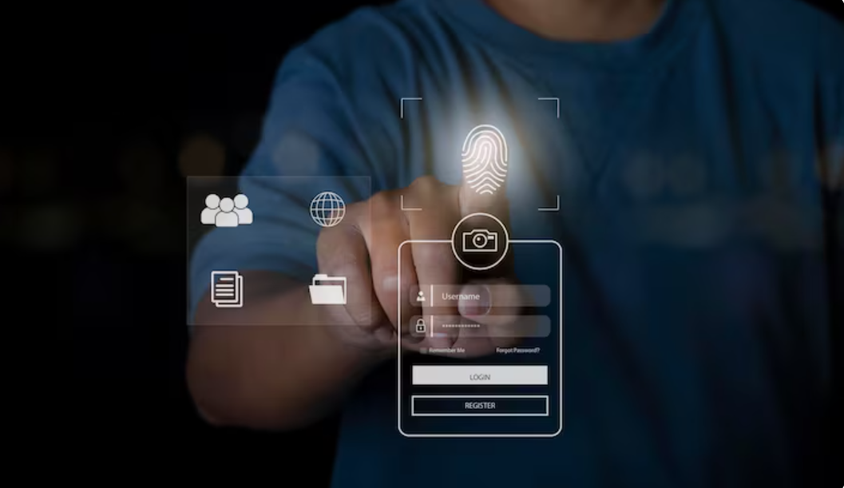
Managing employee attendance manually becomes highly difficult when organizations grow in workforce size, shift complexity, multiple branch operations, and compliance requirements. Traditional attendance systems based on paper registers, spreadsheet tracking, manual punch entries, or disconnected biometric devices create operational inefficiencies, payroll errors, attendance manipulation, delayed reporting, and administrative workload. ERPNext solves these challenges by introducing attendance automation integrated directly with biometric devices, employee check-in systems, shift management, payroll structures, and HR workflows.
ERPNext attendance automation using biometric integration is not simply about recording employee punch-in and punch-out times. It is a complete workforce monitoring and attendance processing framework that automates employee tracking, shift assignment, late entry calculation, overtime management, payroll integration, attendance requests, and real-time reporting from a centralized ERP environment. When biometric systems are integrated correctly with ERPNext, organizations can achieve higher attendance accuracy, reduce HR manual intervention, improve payroll precision, strengthen compliance monitoring, and obtain real-time workforce visibility.
Understanding Attendance Automation in ERPNext
Attendance automation in ERPNext refers to the process where employee attendance is captured automatically from biometric devices or check-in systems and processed inside ERPNext without manual attendance entry. The entire attendance lifecycle becomes digitally managed from employee identification to final payroll calculation.
The automation workflow normally includes employee biometric enrollment, punch data collection, synchronization with ERPNext, employee check-in creation, shift processing, attendance generation, overtime calculation, payroll integration, and reporting analytics. Every stage works together to eliminate human dependency and increase operational consistency.
ERPNext supports various attendance automation models depending on organizational requirements. Businesses can implement attendance processing using fingerprint scanners, facial recognition devices, RFID cards, mobile check-ins, QR code attendance, or API-based smart devices. This flexibility allows ERPNext to support manufacturing industries, IT companies, educational institutions, hospitals, warehouses, retail operations, logistics companies, and multi-branch enterprises.
Why Companies Need Biometric Attendance Integration
Many organizations initially use manual attendance methods because they appear simple and inexpensive. However, as workforce size increases, manual attendance management introduces several operational problems that directly affect HR efficiency, payroll accuracy, and compliance reliability.
Elimination of Buddy Punching
One of the major reasons organizations adopt biometric integration is to eliminate buddy punching. In traditional attendance systems, employees may mark attendance on behalf of others. Biometric devices prevent this because attendance requires unique fingerprint authentication, facial recognition, iris verification, or RFID validation linked directly to the employee profile.
Reduction of Payroll Errors
Payroll calculations heavily depend on attendance accuracy. Even small attendance mistakes can create salary disputes, overtime errors, incorrect deductions, and employee dissatisfaction. Biometric integration ensures attendance data is directly captured from the source and automatically processed inside ERPNext payroll structures.
Real-Time Workforce Visibility
HR teams and managers gain immediate visibility into employee presence, late arrivals, shift attendance, absenteeism trends, overtime records, and department-level attendance performance. This helps management make operational decisions faster and more accurately.
Compliance and Audit Readiness
Many industries require strict labor compliance documentation related to employee working hours, overtime regulations, and attendance monitoring. ERPNext stores attendance logs digitally with timestamps, making audits and compliance verification significantly easier.
Core Components of ERPNext Attendance Automation
Employee Master
The employee master contains employee details including employee ID, department, designation, branch, company, holiday list, attendance device ID, shift assignment, payroll structure, and reporting hierarchy. The biometric integration process usually depends on proper mapping between employee IDs in ERPNext and employee IDs inside biometric devices.
Employee Check-In
Employee Check-In is one of the most important components in ERPNext attendance automation. Every punch captured from the biometric device is converted into an Employee Check-In record inside ERPNext. These records contain employee information, timestamp, log type, device ID, and synchronization details.
ERPNext processes these check-in records to generate attendance automatically based on configured shift rules and attendance policies.
Shift Type
Shift Type defines employee working schedules and attendance rules. Organizations can configure multiple shifts such as morning shifts, night shifts, rotational shifts, split shifts, flexible shifts, and overtime policies.
Shift configuration includes:
- Shift start and end timings
- Late entry allowance
- Early exit tolerance
- Automatic attendance processing
- Working hour calculation method
- Overtime eligibility
- Grace periods
- Holiday handling rules
- Night shift configurations
Attendance Document
Attendance records are generated automatically after ERPNext processes employee check-ins. Attendance status can include Present, Absent, Half Day, Work From Home, On Leave, or Holiday depending on attendance logic and shift policies.
Auto Attendance Scheduler
ERPNext includes automated background schedulers that periodically process employee check-in logs and generate attendance records. This eliminates manual attendance processing work for HR departments.
How Biometric Devices Integrate with ERPNext
Direct Database Integration
Some biometric devices store attendance logs inside local databases such as MySQL, PostgreSQL, or SQL Server. ERPNext integration scripts can directly fetch punch logs from these databases and import them into Employee Check-In records.
API-Based Integration
Modern biometric systems provide APIs that allow ERPNext to pull attendance data in real time. API integration is more reliable, scalable, and secure compared to manual export-import methods.
CSV or Excel Synchronization
Some organizations use scheduled CSV exports from biometric software and import them into ERPNext automatically using custom scripts or background jobs.
ZKTeco Integration
ZKTeco devices are widely used for ERPNext attendance integration because they support network communication and attendance synchronization. ERPNext developers commonly use Python-based utilities or middleware applications to fetch logs from ZKTeco biometric terminals.
Cloud-Based Attendance Devices
Cloud biometric systems can integrate directly using REST APIs, webhooks, or middleware connectors. This enables centralized attendance management across multiple branches and remote offices.
Complete Attendance Processing Workflow
Step 1: Employee Enrollment
Employees are enrolled into the biometric device using fingerprints, facial recognition, RFID cards, or other authentication methods. Each employee receives a unique attendance device ID.
Step 2: ERPNext Employee Mapping
The biometric device employee ID is mapped with the ERPNext employee profile. This mapping is critical because attendance synchronization depends entirely on accurate employee identification.
Step 3: Punch Data Collection
Employees perform punch-in and punch-out operations during work hours. The biometric device stores timestamp logs with employee identifiers.
Step 4: Data Synchronization
Attendance logs are synchronized from the biometric system into ERPNext Employee Check-In records using APIs, scripts, middleware, or scheduled synchronization jobs.
Step 5: Shift Processing
ERPNext identifies the employee shift and calculates attendance based on configured timing rules, grace periods, and working hour requirements.
Step 6: Attendance Generation
Automatic attendance records are created based on processed check-ins and attendance rules.
Step 7: Payroll Integration
Attendance data is connected with salary structures, overtime calculations, leave deductions, and payroll processing.
Step 8: Reporting and Analytics
Managers and HR teams analyze attendance dashboards, absenteeism reports, late entry trends, shift utilization, overtime summaries, and workforce productivity metrics.
Advanced Attendance Automation Features
Late Entry Automation
ERPNext can automatically identify employees who arrive late based on configured shift timings and grace periods. Repeated late entries can trigger notifications, salary deductions, warnings, or HR review workflows.
Early Exit Detection
The system can automatically identify employees leaving before shift completion and mark attendance accordingly.
Overtime Calculation
ERPNext can calculate overtime automatically based on working hours exceeding defined shift durations. Overtime calculations may include multiple policies such as weekend overtime, holiday overtime, night shift allowances, and department-specific overtime rules.
Night Shift Handling
Night shifts require advanced attendance logic because employee check-in and check-out occur across different calendar dates. ERPNext supports night shift attendance processing with cross-date calculation logic.
Multi-Shift Employee Handling
Organizations operating rotational shifts or flexible shift systems can assign different shifts dynamically to employees using ERPNext shift assignment tools.
Geo-Location Attendance
ERPNext can integrate with mobile attendance systems that capture employee GPS location during check-in. This feature is highly useful for field staff, delivery teams, technicians, and remote employees.
ERPNext Payroll Integration with Attendance
One of the strongest advantages of attendance automation is seamless payroll integration. Attendance directly affects salary processing, leave deductions, overtime calculations, and statutory compliance.
ERPNext payroll integration supports:
- Automatic salary deductions for absences
- Half-day salary adjustments
- Overtime payment calculations
- Holiday compensation
- Shift allowances
- Night duty incentives
- Attendance-based bonuses
- Leave without pay calculations
- Payroll compliance reporting
This integration eliminates manual payroll adjustments and improves salary processing accuracy significantly.
Challenges in Biometric Attendance Integration
Device Connectivity Issues
Biometric devices may experience network failures, power interruptions, or communication delays. Proper infrastructure planning and backup synchronization mechanisms are necessary.
Employee ID Mismatch
Incorrect employee ID mapping between ERPNext and biometric systems can create attendance inconsistencies and synchronization failures.
Shift Complexity
Organizations with multiple rotational shifts require carefully designed attendance logic to avoid incorrect attendance processing.
Data Duplication
Improper synchronization scripts may create duplicate check-in records. Validation mechanisms are required to prevent duplicate attendance entries.
Scalability Concerns
Large enterprises processing thousands of attendance logs daily require optimized background jobs, database indexing, and efficient API handling for performance stability.
Best Practices for ERPNext Biometric Attendance Implementation
- Use standardized employee IDs across systems
- Configure accurate shift policies before automation
- Enable regular attendance synchronization schedules
- Implement attendance validation rules
- Maintain biometric device backups
- Use secure API authentication methods
- Monitor synchronization logs regularly
- Train HR teams on attendance workflows
- Test attendance logic before live deployment
- Implement proper exception handling mechanisms
Security Considerations in Attendance Automation
Attendance systems handle sensitive employee information including biometric identifiers, work schedules, and attendance behavior. Organizations must implement proper security controls to protect employee data.
Important security measures include encrypted communication channels, role-based access controls, secure API authentication, database backup strategies, audit logging, and controlled device access permissions.
Reporting and Analytics in ERPNext Attendance Management
ERPNext provides powerful reporting capabilities that help management analyze workforce trends and operational efficiency.
Common attendance reports include:
- Daily attendance reports
- Late entry analysis
- Absenteeism tracking
- Department attendance summaries
- Overtime analysis reports
- Shift performance reports
- Employee punctuality reports
- Branch-wise attendance reports
- Payroll attendance summaries
- Compliance audit reports
Future of Attendance Automation in ERPNext
Attendance automation is continuously evolving with modern technologies such as artificial intelligence, facial recognition, mobile workforce management, cloud infrastructure, IoT devices, and predictive analytics. ERPNext is highly flexible and capable of integrating with modern workforce technologies to support future business requirements.
Advanced attendance systems may soon include AI-based anomaly detection, predictive absenteeism analysis, automated workforce optimization, smart shift planning, behavioral attendance analytics, and touchless authentication technologies.
Conclusion
ERPNext attendance automation using biometric integration provides organizations with a highly efficient, scalable, and accurate workforce management system. Instead of depending on manual attendance processes, businesses can automate attendance capture, shift management, overtime tracking, payroll integration, compliance monitoring, and workforce analytics through a centralized ERP environment.
A properly implemented biometric attendance system integrated with ERPNext significantly improves HR operational efficiency, eliminates attendance manipulation, reduces payroll errors, increases real-time workforce visibility, and strengthens compliance management. As businesses continue adopting digital transformation strategies, attendance automation becomes an essential component of modern enterprise operations.