ERPNext vs Zoho One: Which Business Management Platform Is Right for Your Business?
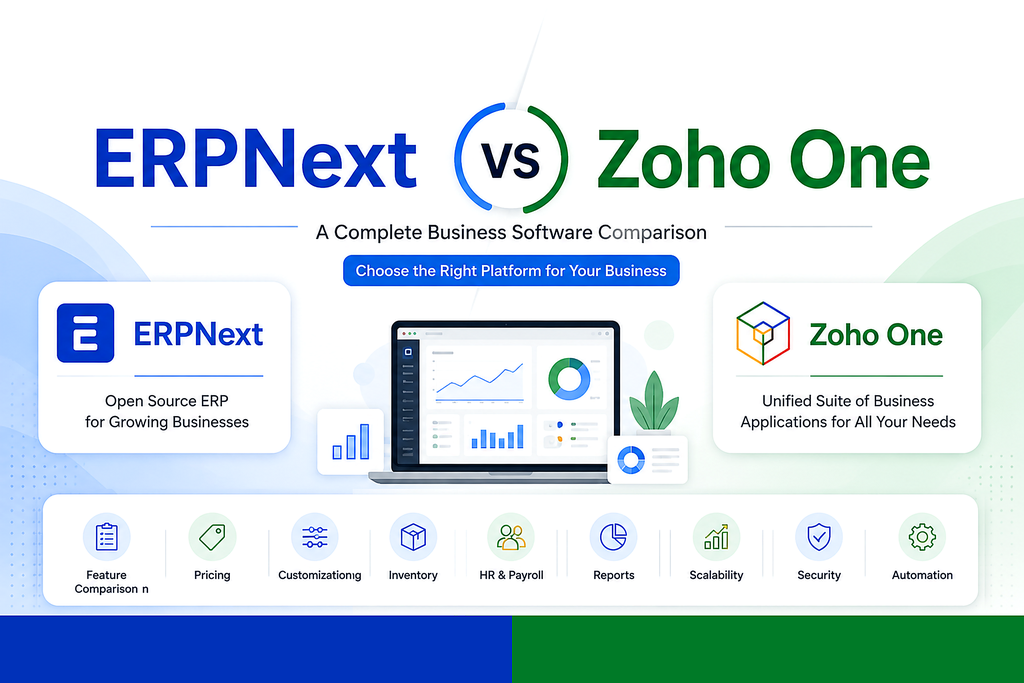
Overview
ERPNext is an open-source ERP platform with modules for accounting, CRM, HR, manufacturing, inventory, projects, and more. It offers deep customization and ownership of your data.
Zoho One is a suite of integrated cloud applications focused on CRM, finance, HR, marketing, collaboration, and business automation with fast deployment.
Quick Comparison
| Feature | ERPNext | Zoho One |
|---|---|---|
| License | Open Source | Subscription |
| Customization | Excellent | Moderate |
| Manufacturing | Advanced | Basic |
| Best For | SMEs needing flexibility | Businesses using Zoho ecosystem |
Pricing at a Glance
Pricing models differ fundamentally between the two platforms, which affects total cost of ownership over time.
| Cost Factor | ERPNext | Zoho One |
|---|---|---|
| Software licensing | Free (self-hosted) or paid cloud plans | Per-employee subscription |
| Pricing model | Flat hosting fee or one-time setup | Scales with headcount |
| Customization cost | Development time, no license fee | Limited by app boundaries |
| Long-term cost trend | Stable, predictable | Increases as team grows |
For businesses expecting steady headcount growth, ERPNext's cost structure tends to stay more predictable, since it isn't tied to per-user subscription tiers.
Detailed Feature Breakdown
ERPNext includes a full double-entry accounting engine, multi-currency support, and financial statements built natively into the ERP core. Zoho Books (part of Zoho One) covers similar ground but is a separate app that syncs with other Zoho tools rather than sharing one unified database.
ERPNext supports BOMs, work orders, job cards, and shop floor tracking out of the box. Zoho One has limited manufacturing depth and typically needs third-party add-ons for production planning.
Zoho CRM is one of the most mature parts of the Zoho ecosystem, with strong marketing automation and pipeline tools. ERPNext's CRM module is capable but more transactional, designed to tie directly into quotations, sales orders, and invoicing.
Both platforms offer HR, attendance, and payroll modules. ERPNext's HR ties directly into accounting for payroll journal entries; Zoho People integrates with Zoho Payroll (available in select regions).
Customization & Data Ownership
Because ERPNext is open source (built on the Frappe framework), businesses can modify workflows, build custom modules, and self-host the platform, which means full control over where data lives. Zoho One is a closed, hosted ecosystem — customization happens through Zoho's own tools (Deluge scripting, Zoho Creator) but always within Zoho's infrastructure.
This matters most for businesses with unique processes, regulatory requirements around data residency, or plans to eventually migrate away from a vendor's hosted environment.
Integrations & Ecosystem
| Integrations & Ecosystem | ERPNext | Zoho One |
|---|---|---|
| Native app ecosystem | Single unified app (all modules share one database) | 45+ separate apps under one subscription |
| Third-party integrations | REST API, webhooks, community apps | Zoho Flow, Zapier, native connectors |
| Best fit | Teams wanting one system of record | Teams already using multiple Zoho apps |
Implementation & Migration Considerations
- Time to deploy: Zoho One's individual apps can be turned on quickly since they're pre-built; ERPNext implementation usually involves a structured setup phase (chart of accounts, workflows, roles) but delivers a more tailored fit for the business.
- Data migration: Moving from spreadsheets or legacy systems into ERPNext typically involves importing master data (items, customers, chart of accounts) through its built-in data import tool.
- Training: Zoho's app-by-app structure can mean multiple learning curves across tools; ERPNext's single interface reduces context-switching once teams are onboarded.
- Ongoing support: ERPNext's open-source nature means support can come from an implementation partner, in-house team, or community; Zoho One support is centralized through Zoho itself.
Pros & Cons
ERPNext
✓ Full data ownership and self-hosting option
✓ Deep manufacturing & inventory capabilities
✓ Single unified database across modules
✗ Requires more setup effort upfront
✗ Smaller out-of-the-box marketing automation
Zoho One
✓ Fast time-to-value with pre-built apps
✓ Strong CRM & marketing tools
✓ Wide app catalog under one price
✗ Cost scales with every added employee
✗ Limited manufacturing & deep customization
Who Should Choose ERPNext?
- Manufacturing companies
- Trading & distribution
- Retail with complex inventory
- Businesses requiring custom workflows
- Organizations wanting to avoid per-user subscription cost growth
Who Should Choose Zoho One?
- Service businesses
- Companies already using Zoho apps
- Organizations prioritizing rapid implementation
- Teams that value marketing & CRM depth over manufacturing features
Frequently Asked Questions
- Can ERPNext and Zoho One be used together?
- Yes — some businesses run ERPNext as the core system of record while integrating specific Zoho apps (like Zoho Campaigns) via API for marketing needs, though this adds integration overhead.
- Which platform is better for a growing manufacturing business?
- ERPNext generally offers deeper native manufacturing functionality — BOMs, job cards, and shop floor tracking — without needing third-party add-ons.
- Is Zoho One cheaper than ERPNext?
- It depends on team size and hosting choice. Zoho One's per-employee pricing can become more expensive as headcount grows, while ERPNext's cost is tied more to implementation and hosting than to user count.
- Does switching require starting from scratch?
- Not necessarily — most master data (customers, items, accounts) can be migrated using structured import tools, though workflows and customizations typically need to be rebuilt for the new platform.
Final Verdict
ERPNext is ideal when flexibility, customization, and long-term ownership matter. Zoho One excels when ease of use and quick deployment are the priorities.
Nexeves Technologies
ERPNext Implementation • Customization • Migration • Support • Training
Planning ERPNext for your business in India or the GCC?
Book a free demo with Nexeves Technologies, an ERPNext implementation partner for India and the GCC.
Book a Free Demo Chat on WhatsApp
No comments yet. Login to start a new discussion Start a new discussion