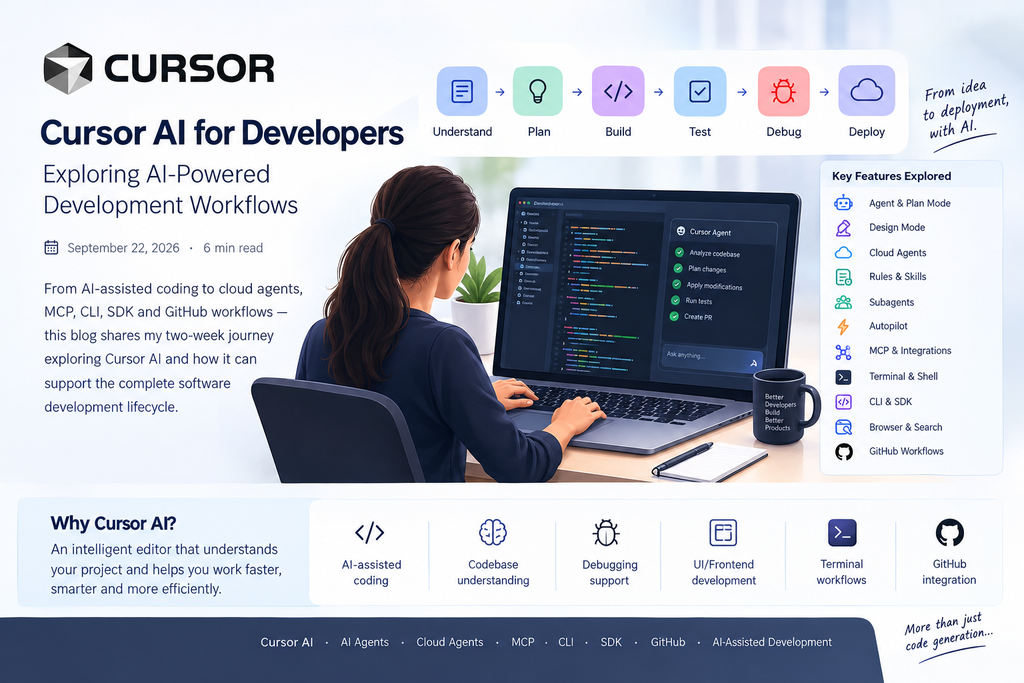
Modern software development involves much more than writing code. Developers need to understand requirements, explore existing codebases, debug issues, test changes, manage repositories, and maintain consistent development standards.
Cursor AI provides an AI-powered development environment that brings these activities together within a modern developer workflow. Its capabilities include Agent, Debugging, Plan Mode, Design Mode, Cloud Agents, Rules, Skills, Subagents, Autopilot, MCP, Terminal, Browser, Search, CLI, SDK, and GitHub workflows.
These capabilities enable development teams to use AI across different stages of the software development lifecycle, from understanding requirements and planning solutions to implementing changes, testing code, debugging issues, and managing development workflows.
Why Cursor AI for Developers?
Cursor is an AI-powered code editor designed to understand project context and assist developers with coding, debugging, planning, code changes, and development tasks.
Rather than being limited to individual code suggestions, Cursor can work with the context of an entire codebase, helping developers navigate complex projects and perform development tasks more efficiently.
Key Capabilities
| AI-assisted coding | Codebase understanding | Debugging support |
| Planning & analysis | Terminal workflows | Code editing |
| Cloud Agents | Rules & Skills | MCP integrations |
AI-Powered Development Workflow
Cursor can support developers throughout multiple stages of the software development lifecycle.
Development Process
Requirement → Project Analysis → Planning → Implementation → Testing → Debugging → Code Review → GitHub / Deployment
This workflow allows AI assistance to be incorporated into development activities while developers retain control over the code, architecture, testing, and final decisions.
Cursor Agent
The Cursor Agent can work with project files and development tools to perform multi-step coding tasks.
Instead of manually locating files, understanding dependencies, making changes, and running commands separately, developers can provide a task and allow the Agent to analyze the relevant project context.
Agent Workflow
Development Requirement → Codebase Analysis → Implementation Plan → Code Changes → Terminal / Testing → Debugging → Review
This makes Agent particularly useful for development tasks that involve multiple files or several related implementation steps.
Debugging with Cursor
Debugging is an essential part of software development, and AI can assist developers in identifying and understanding issues within an existing codebase.
Debugging Workflow
Error / Issue → Identify Relevant Files → Analyze Code → Find Possible Cause → Suggest Fix → Apply Changes → Test Again
This approach can help reduce the time required to investigate errors across frontend, backend, and framework-specific code.
Plan Mode
For larger development tasks, planning before implementation helps establish a clear approach.
Cursor's Plan Mode can be used to analyze the requirement, inspect the existing codebase, identify relevant files, and prepare an implementation approach before changes are made.
Planning Process
Requirement → Understand Existing Code → Identify Relevant Files → Create Implementation Plan → Review Plan → Implement Changes
This provides a structured approach for handling complex development requirements.
Design Mode and UI Development
AI-assisted development can also support frontend and user-interface work.
Cursor can assist with tasks involving:
| HTML | CSS | Responsive Design |
| Spacing | Alignment | Colors |
| Cards | Icons | Mobile Layouts |
This can be particularly useful when implementing design changes across existing websites and applications, where identifying the correct HTML and CSS elements is often part of the task.
Cloud Agents
Cursor Cloud Agents extend AI-assisted development into remote development environments.
A Cloud Agent can work on a development task within a configured cloud environment, allowing repositories to be analyzed, modified, and tested remotely.
Cloud Agent Workflow
GitHub Repository → Cloud Environment → Environment Setup → AI Agent → Code Changes → Testing → Pull Request / Result
For example, a custom web application hosted on GitHub can be connected to a Cloud Agent environment. The environment can be configured with the required programming languages, dependencies, startup commands, and project settings before development tasks are assigned to the agent.
Rules
Cursor Rules allow teams to define project-specific instructions for AI-assisted development.
Rules can specify which parts of a project the AI should work with, coding conventions to follow, or areas that should not be modified.
For example, in a Frappe or ERPNext application, rules can help ensure that development changes remain focused on a custom application rather than framework code.
Project Boundary
Custom Application → Application Code → AI Agent → Allowed Changes
Framework applications such as:
apps/frappe/apps/erpnext/
can be excluded from unnecessary modifications.
This helps maintain clearer boundaries when AI is working within large application frameworks.
Skills
Skills provide reusable instructions or capabilities for specific development workflows.
Instead of repeatedly providing the same instructions for a particular type of task, reusable Skills can help standardize how an AI agent approaches that workflow.
Skill-Based Workflow
Development Task → Skill → Defined Instructions → AI Agent → Task Execution
This makes AI-assisted workflows more consistent and reusable across development tasks.
Subagents
Subagents can support larger development tasks by dividing work into specialized areas.
For example:
| Code Analysis | Implementation | Testing |
| Debugging | Code Review | Documentation |
Specialized AI workflows can help organize complex development processes into smaller, focused tasks.
Autopilot
Autopilot enables a more continuous AI-assisted development workflow, where the agent can proceed through multiple stages of a task with reduced manual intervention.
Automated Development Flow
Task → AI Analysis → Implementation → Testing → Issue Detection → Fix → Continue
This approach can be useful for repetitive or multi-step development workflows.
MCP and Integrations
Model Context Protocol (MCP) enables AI applications to connect with external tools and services.
For development teams, MCP can connect Cursor with tools used for project management, documentation, databases, and other development workflows.
For example, integrating project-management tools such as Jira can create a workflow connecting requirements with implementation.
Jira + Cursor Workflow
Jira Task → Cursor → Requirement Analysis → Repository Inspection → Implementation → Testing → Review
This creates a closer connection between project requirements and software development activities.
Terminal and Shell
Cursor Agent can also work with terminal commands, which are an essential part of modern development workflows.
Common activities include:
- Installing dependencies
- Checking software versions
- Running tests
- Starting development servers
- Running framework commands
- Inspecting project files
- Managing Git repositories
For example:
pwdcan be used to identify the current project directory.
Terminal access allows AI-assisted development to extend beyond code editing into practical development operations.
Browser and Search
Software development often requires information outside the current codebase.
Browser and Search capabilities can help developers access:
- Framework documentation
- API documentation
- Technical references
- Library information
- Error-related information
This allows relevant external information to become part of the development workflow when required.
Cursor CLI
The Cursor CLI / Agent CLI provides a terminal-based approach to AI-assisted development.
CLI Workflow
Terminal → AI Agent → Project → Commands → Code Changes → Testing
This can be useful for developers who prefer command-line workflows or need to incorporate AI capabilities into terminal-based development processes.
Cursor SDK
The Cursor SDK provides a programmatic approach to working with Cursor capabilities.
This opens possibilities for developers to integrate AI-assisted workflows into scripts, development tools, and automation processes.
SDK Workflow
Application / Script → Cursor SDK → AI Capability → Development Workflow → Result
Programmatic access can extend AI assistance beyond the traditional editor interface.
GitHub Integration
GitHub plays an important role in modern software development, and AI-assisted workflows can work alongside repositories, branches, commits, and pull requests.
For example, a custom application hosted on GitHub can be connected to an AI development workflow for code analysis, feature implementation, testing, and review.
GitHub Development Workflow
Repository → Development Task → AI-Assisted Changes → Testing → Code Review → Pull Request
This creates a workflow where AI assistance can be incorporated into existing version-control and collaboration processes.
Example: AI-Assisted Frappe Application Development
Consider a custom application built using the Frappe Framework.
A development requirement such as creating a new Product DocType may involve Python backend logic, JavaScript client-side behavior, JSON configuration, testing, and Git version control.
Cursor can assist across these areas by understanding the project structure and helping coordinate the required development changes.
Example Workflow
Product DocType Requirement → Analyze Existing Application → Create DocType Structure → Add Python Logic → Add JavaScript Logic → Run Tests → Review Changes → Commit to Git
This demonstrates how AI assistance can be applied to framework-based application development without exposing project-specific repositories or implementation details.
Benefits for Developers
Development Benefits
- Faster code exploration
- AI-assisted implementation
- Easier debugging
- Better understanding of existing code
- Assistance with repetitive development tasks
- Faster UI development
Project Benefits
- Reusable project rules
- Structured AI workflows
- Cloud-based development support
- Integration with development tools
- Better connection between requirements and implementation
Technology and Tools
| Technology / Feature | Purpose |
|---|---|
| Cursor AI | AI-powered development |
| Agent | Task execution and code changes |
| Plan Mode | Development planning |
| Debugging | Error analysis and fixes |
| Design Mode | UI development |
| Cloud Agents | Remote AI development |
| Rules | Project-specific instructions |
| Skills | Reusable AI workflows |
| Subagents | Specialized task execution |
| Autopilot | Continuous AI workflows |
| MCP | External tool integration |
| CLI | Terminal-based AI workflows |
| SDK | Programmatic AI workflows |
| GitHub | Repository and collaboration |
AI-Assisted Development Lifecycle
Cursor brings several development capabilities together into a single workflow.
Understand → Plan → Build → Test → Debug → Review → Deploy
AI can assist across these stages while developers remain responsible for reviewing code, validating results, and making final technical decisions.
Future of AI-Assisted Development
As AI development tools continue to evolve, software teams can incorporate AI into increasingly complex workflows.
Areas such as Cloud Agents, MCP integrations, reusable Skills, Subagents, SDK automation, CLI workflows, and framework-specific development can help extend AI beyond basic code generation.
For platforms such as Frappe and ERPNext, these capabilities can support development activities involving custom applications, DocTypes, Python, JavaScript, database operations, testing, and Git workflows.
Conclusion
AI-assisted development is evolving beyond simple code generation. Modern tools such as Cursor can support developers across the complete software development lifecycle, including planning, codebase analysis, implementation, testing, debugging, code review, and repository management.
By combining AI agents with project-specific rules, reusable workflows, cloud environments, external integrations, terminal tools, and version-control systems, Cursor provides a flexible approach to modern software development.
Cursor AI · AI Agents · Cloud Agents · MCP · CLI · SDK · GitHub · AI-Assisted Development


No comments yet. Login to start a new discussion Start a new discussion