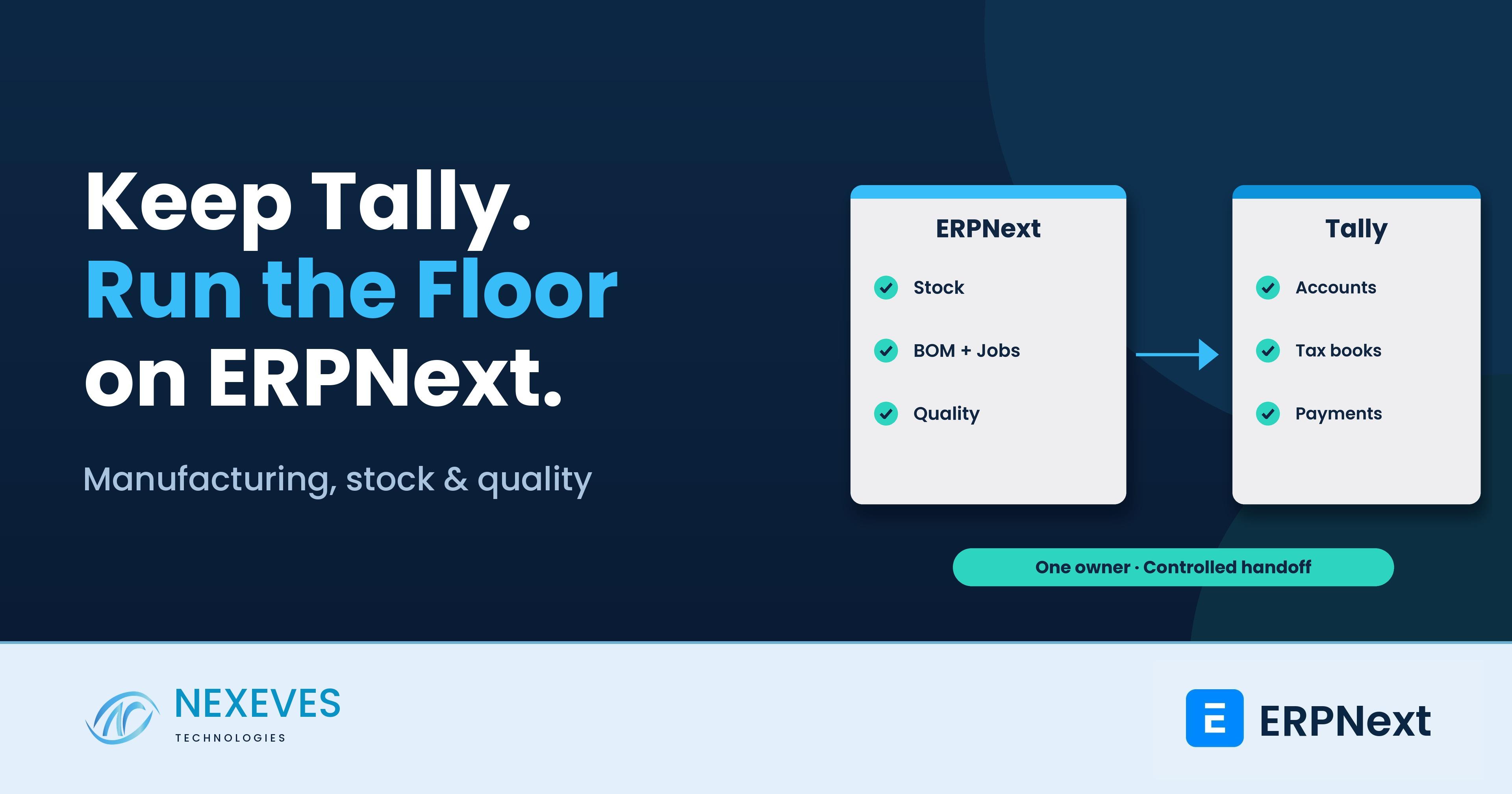
A manufacturer can have dependable accounts and still struggle to answer a basic shop-floor question: do we have enough material to finish this order? Tally may already serve the accountant, the tax consultant and the owner well. The gap is often elsewhere: stock by location, work-in-progress, material consumption, production status and rejected parts.
Using ERPNext with Tally for manufacturing can be a practical phased approach. Keep the agreed accounting responsibilities in Tally while ERPNext becomes the operational system for inventory and production. But a hybrid setup needs a clear boundary. Without one, staff enter invoices twice, stock values disagree, and month-end becomes a reconciliation project.
This guide explains what to move first, how to control the handoff and when running two systems stops making commercial sense. The Salem engineering example below is an illustrative industry pattern, not a named client case study or a claim of measured results.
- Start with the operational bottleneck, not a forced accounting migration.
- Assign one source system and one owner to every document and master.
- Tally integration is a scoped connector or import workflow, not an assumed built-in ERPNext feature.
- Reconcile quantities, values and exceptions before expanding the rollout.
Why Indian plants keep Tally while operations outgrow spreadsheets
Consider a Salem engineering manufacturer producing machined assemblies. Accounts records supplier bills, customer invoices and payments in Tally. Stores maintains a spreadsheet. Production tracks jobs on paper. The owner calls three people to find whether a promised dispatch is realistic.
The accountant is not the problem. Neither is the existence of Tally. The missing control is the link between an order, its material requirement, the stock actually available and the work already in progress. Purchasing may buy steel that is already on another rack. A planner may promise capacity without seeing unfinished jobs. Scrap may be recorded only after someone asks why stock is short.
Replacing accounts first can add risk without solving those issues. A better initial objective is specific: a planner should see shortages by work order, stores should issue material against the right job, and management should distinguish finished stock from material still on the floor. Compare the cost of the hybrid arrangement with the cost and disruption of a complete migration before choosing.
What moves to ERPNext first
1. Stock and item masters
Clean item codes, descriptions, units of measure and warehouse locations before importing balances. A rod purchased by kilogram but consumed by length needs an agreed conversion or a more suitable item structure; a guessed conversion creates false precision. Identify raw materials, bought-out components, subassemblies, finished goods and scrap separately.
Count opening stock at a controlled cutover date, approve valuation assumptions and reconcile the opening position with finance. Use batches or serial numbers where traceability is genuinely needed. Quarantine or rejected material needs a defined warehouse and release procedure, not a remark that planners overlook.
2. Bills of materials and production
Build a Bill of Materials for a representative product family, including subassemblies and relevant operations. Approve the version used for planning. Start with realistic quantities and record actual consumption, returns and scrap so the team can investigate differences instead of silently changing the standard each month.
Work Orders organise production requirements. Job Cards can capture operation progress and time where that level of detail is useful. Material transfers and manufacture entries connect raw material, work-in-progress and completed output. A job marked complete is not a substitute for the stock transaction that records what was made.
3. Quality at the right handover points
Set inspection criteria for selected incoming materials, in-process operations and finished products. ERPNext supports Quality Inspections against relevant receipts, stock documents and Job Cards. Test which document submissions are gated in your installed version and configuration. Decide who can accept an exception and how rejected stock is prevented from being issued.
Do not promise complete quality control merely because a template exists. Acceptance limits, sampling, responsibility and physical segregation must work together. For a deeper integration discussion, see our related ERPNext and Tally integration guide.
Define the boundary before building the connector
“ERPNext inventory, Tally accounts” is a starting intention, not a complete design. ERPNext stock transactions can also generate accounting entries when perpetual inventory is enabled. The implementation must explicitly decide how ERPNext's internal stock accounting will operate and how the statutory books in Tally will receive the agreed financial effects.
| Information | Example ownership decision | Required control |
|---|---|---|
| Items, units and warehouse stock | ERPNext owns operational item data and stock movements | Approved code mapping; no independent quantity edits in the second system |
| Sales and purchase invoices | Choose one originating system for each invoice type | Original document ID, tax breakup, returns and cancellation rules |
| Payments and bank reconciliation | Tally remains authoritative during the hybrid phase | Do not present ERPNext receivable ageing as complete unless payments are also fed back and reconciled |
| Stock value and cost of goods sold | ERPNext supplies operational valuation; finance approves the Tally posting method | A documented bridge that avoids recording inventory or expense twice |
These are example choices, not a universal architecture. Some businesses originate invoices in ERPNext and send approved vouchers to Tally. Others keep invoicing in Tally and import a controlled reference into ERPNext. The second option must still connect dispatch, returns and quantities reliably. In either case, nominate the sole system responsible for statutory invoice numbers, e-invoice generation where applicable and tax corrections.
How to avoid double entry and silent sync failures
- Map before automating. Agree company, item, party, ledger, tax, unit, cost-centre and voucher mappings. Clean duplicates before the first transfer.
- Move approved records only. Export or sync submitted and authorised documents at an agreed frequency. Drafts should not become accounting vouchers.
- Make retries safe. Store a stable source ID and destination voucher reference. Replaying a failed batch must not create a second invoice. A timeout is not proof that the destination rejected it.
- Handle the whole lifecycle. Test partial deliveries, credit notes, purchase returns, amendments, cancellations, discounts, freight, round-off and tax differences—not just a clean sales invoice.
- Give exceptions an owner. A failed transfer should enter a visible queue with the document, error and responsible person. “The sync ran” is not a reconciliation.
- Reconcile daily. Compare document counts, taxable amounts, taxes and totals by company and period. Separately bridge stock valuation and agreed accounting entries. Sign off unresolved differences.
A supervised file export/import may be enough for low volumes. A connector may suit higher volumes, but Tally version, network availability, supported interfaces, security and maintenance all affect the scope. Do not expose Tally directly to the public internet just to make a demo work. Confirm access and deployment design with the responsible IT team.
A practical pilot for an engineering manufacturer
Take one product family, one store and a small set of live orders. Walk through purchase receipt, inspection, material issue, production, scrap, finished receipt and dispatch. Include a shortage and a rejected component deliberately. Then prove the financial handoff for the related invoices and returns.
Set acceptance measures before the pilot: stock count variance within a finance-approved tolerance, all pilot work orders traceable, every transferred invoice accounted for and every exception assigned. Review operator effort as well as management reports. A system that needs a supervisor to repair every entry is not ready for a wider rollout.
For example, if 100 components are issued and 92 finished units plus recoverable scrap are reported, investigate the remaining material and the BOM assumptions. Do not force quantities to match by posting an unexplained adjustment. This is the operational discipline that makes later costing useful.
When to keep the hybrid model—and when to migrate accounts
Keep the hybrid approach longer when the accounting process is stable, transaction volumes are manageable and the reconciliation cost is modest. It can also be a sensible transition while opening balances, staff training and local compliance are prepared for a later move.
Consider moving accounts to ERPNext when management needs dependable real-time margin and cash visibility, two-system reconciliation becomes a recurring expense, or multi-branch operations repeatedly expose timing differences. Compare the connector's full support cost with a controlled migration, not just the first implementation fee.
A full move still requires chart-of-accounts mapping, opening receivables and payables, bank balances, tax setup, stock valuation and accountant sign-off. Choose a cutover date and archive access to historical Tally records. Do not assume importing a trial balance transfers invoice-level ageing or statutory history.
Questions to ask an implementation partner
- Which system owns each document, and can you demonstrate a cancellation and retry?
- How will stock accounting and cost of goods sold be reconciled without duplicate postings?
- Which functions are standard ERPNext, which require configuration and which are custom integration?
- Who fixes rejected transfers, and what support is included after an ERPNext or Tally upgrade?
- What are the pilot acceptance tests, migration responsibilities and total recurring costs?
- Can our accountant and production supervisor both sign off the proposed workflow?
Frequently asked questions
Can we use ERPNext inventory with Tally accounts?
Yes, as a designed hybrid workflow. Decide where invoices and payments originate, map masters and financial entries, and reconcile the two systems. It is not enough to use separate software without a controlled handoff.
Does ERPNext include automatic Tally synchronisation?
Do not assume it does. Confirm the exact connector, supported versions, document coverage, security, licensing and support with the implementation partner. A file-based workflow and a custom connector have different costs and controls.
Should every production entry be copied into Tally?
Not necessarily. Finance should approve the level of detail needed in the books and the stock-to-ledger bridge. Avoid duplicating material consumption or cost of goods sold through overlapping voucher flows.
Start with the factory bottleneck, not a forced replacement
Nexeves Technologies helps businesses in India and the GCC design ERPNext and Frappe workflows around their operating needs. Based in Vadakara, Kozhikode, Kerala, we can assess the stock, production and accounting boundary with your team before proposing a rollout. Bring one real order, its material records and the related accounting documents to the discussion. That tells us more than a generic feature checklist.
Plan your manufacturing and accounting boundary
Bring one live production order and its accounting documents. We can assess what should move to ERPNext, what stays in Tally and how the handoff should be controlled.
Discuss your ERPNext requirements · WhatsApp +91 8089051848 · info@nexeves.com
Nexeves Technologies | Vadakara, Kozhikode, Kerala | India + GCC


No comments yet. Login to start a new discussion Start a new discussion